How to Convert Audio to Video for YouTube & Instagram
Social media platforms like YouTube, Instagram, and TikTok do not allow you to upload raw audio files (like MP3s or WAVs). If you're a musician trying to share a new beat, or a podcaster sharing a soundbite, you must convert your audio into a video format first.
Here is the fastest, free way to convert your audio to video online.
Step 1: Open the Audio to Video Converter
Head to our Audio to Video Converter page and drag your audio file into the dropzone. You don't need to create an account, and there are no file size limits.
Step 2: Select Your Aspect Ratio
Different platforms require different video shapes. On the settings panel, you can select the perfect resolution for your destination:
 Audio to Video Aspect Ratios
- 1920x1080 (Landscape): Best for YouTube and Twitter.
- 1080x1080 (Square): Best for Instagram Feed posts.
- 1080x1920 (Portrait): Perfect for TikTok, YouTube Shorts, and Instagram Reels.
Step 3: Customize the Visuals
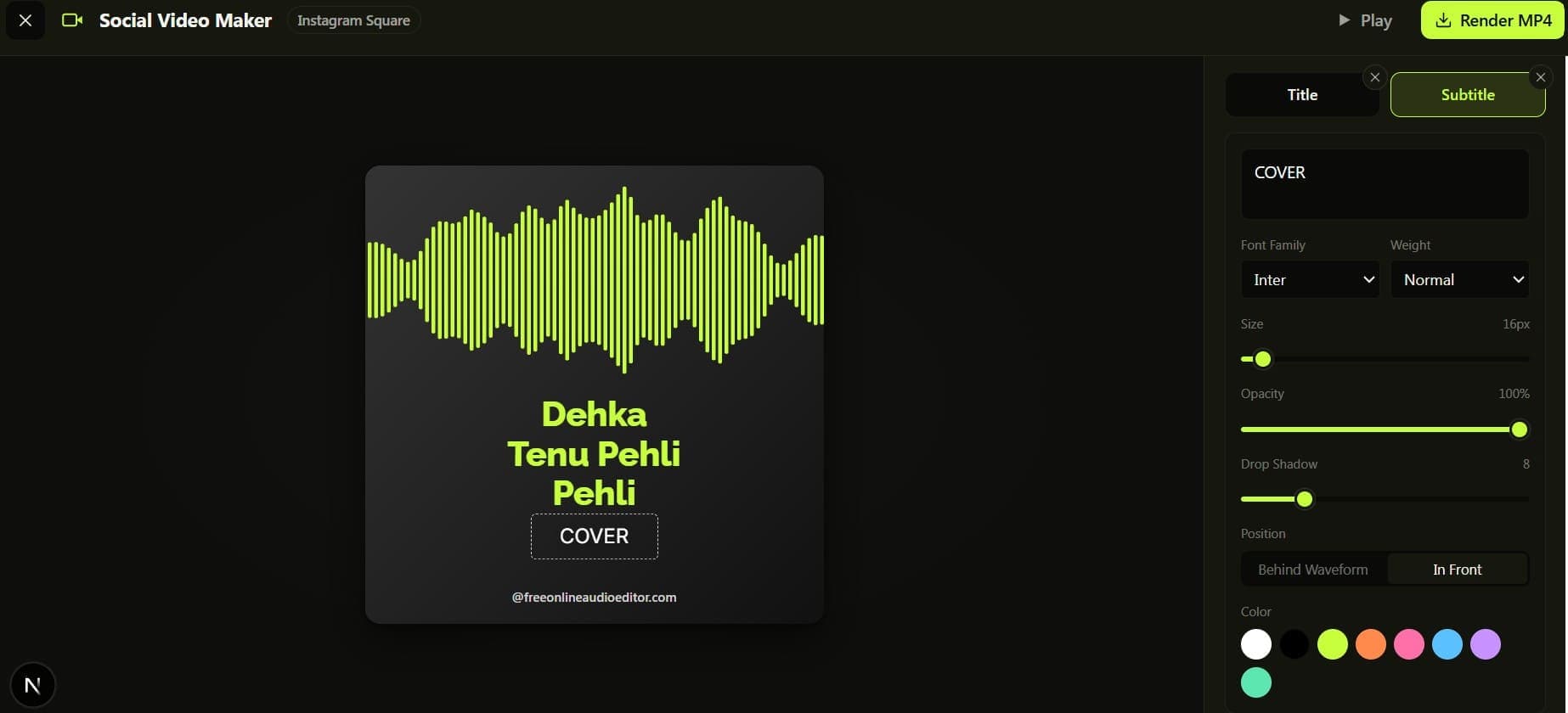
You don't want to post a blank black screen. The editor allows you to easily upload your own cover art or background image. You can also add dynamic text layers to display the song name, episode title, or your social media handles.
If you want the video to feel "alive," you can enable the audio waveform overlay so viewers have something reactive to watch while they listen!
Step 4: Export to MP4
Click the Render MP4 button. Our in-browser rendering engine will immediately stitch your audio and visuals together into a high-quality H.264 MP4 file, ready for upload to any social network.