How to Make a Music Visualizer for Free Online
Creating a music visualizer used to require heavy, expensive video editing software like Adobe After Effects. But what if you just want to quickly upload a beat or a podcast clip and get a beautiful, audio-reactive waveform video for YouTube or Instagram?
In this guide, we'll show you how to generate a professional music visualizer entirely in your browser using our Free Music Visualizer Generator.
Step 1: Upload Your Audio Track
To get started, head over to the Music Visualizer Generator and click the Upload Audio button, or simply drag and drop your audio file (MP3, WAV, M4A, etc.) directly into the browser.
Because the editor runs locally in your browser, your audio file is never uploaded to any server, meaning it loads instantly and your privacy is 100% protected.
Step 2: Choose Your Visualizer Style
Once your audio is loaded, the rendering screen will appear.
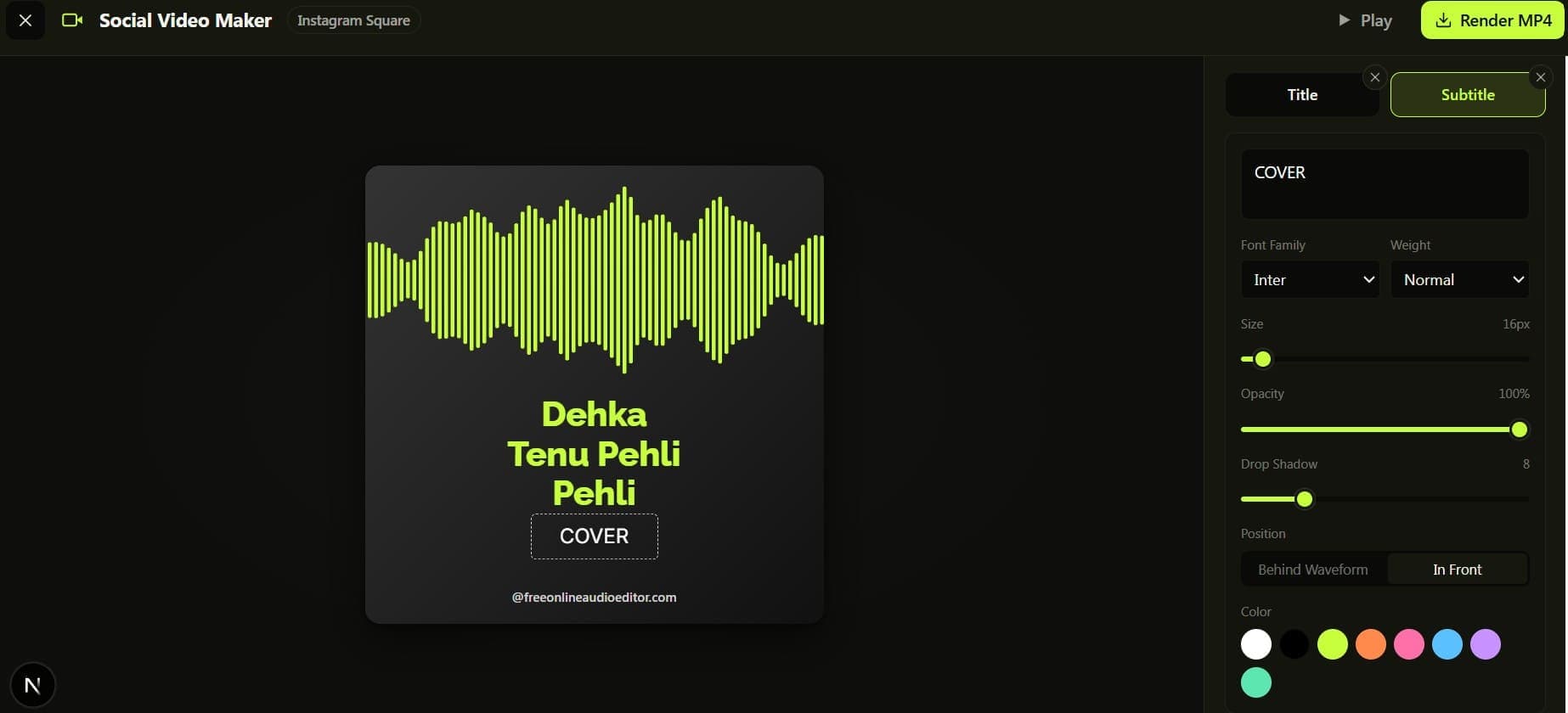 Music Visualizer Dashboard
On the right side of the screen, you will find the Visualizer Settings:
- Style: Choose between
Glow(our signature neon string look),Bars(a classic frequency equalizer), orRadial(a circular waveform perfect for central logos). - Color: Pick a hex color that perfectly matches your brand or album art.
Step 3: Add Custom Text and Backgrounds
A visualizer isn't complete without the artist name and track title. Click Add Text Layer to insert draggable text boxes. You can customize the font family (using Google Fonts), font weight, size, and drop shadow. You can even choose whether the text sits in front or behind the glowing waveform.
If you have album artwork, click Upload Cover Image to set it as the background. If you prefer a clean aesthetic, leave it blank to use the built-in dark gradients.
Step 4: Render Your MP4 Video
Once you are happy with the preview, select your desired resolution (e.g., 1080x1080 for Instagram, or 1920x1080 for YouTube) and click Render MP4.
The visualizer engine will use your computer's GPU to rapidly render the frames and mix the audio. Because everything happens on your device, the rendering speed is incredibly fast, and there are absolutely no watermarks or hidden fees!